How do I use the Relax and Stand-up aid?
Find out how you can get your BRO into your desired Relax or Stand-up position.
If you want to make yourself more comfortable or if you want to distribute and relieve the pressure on your buttocks, your BRO can switch to a Relax position. BRO also has a Stand-up function, which allows you to position your seat upright so that you can get up more easily. Here you will find brief instructions on how to save these positions and how you can move BRO into the saved position at any given moment .
Please note that these functions are only available in the app.
Despite the guidelines, are you still unsure how to set one of the two positions? We are happy to help you. Just contact us at support@scewo.com or get in touch with one of our partners.
Automatic Software Update
Important
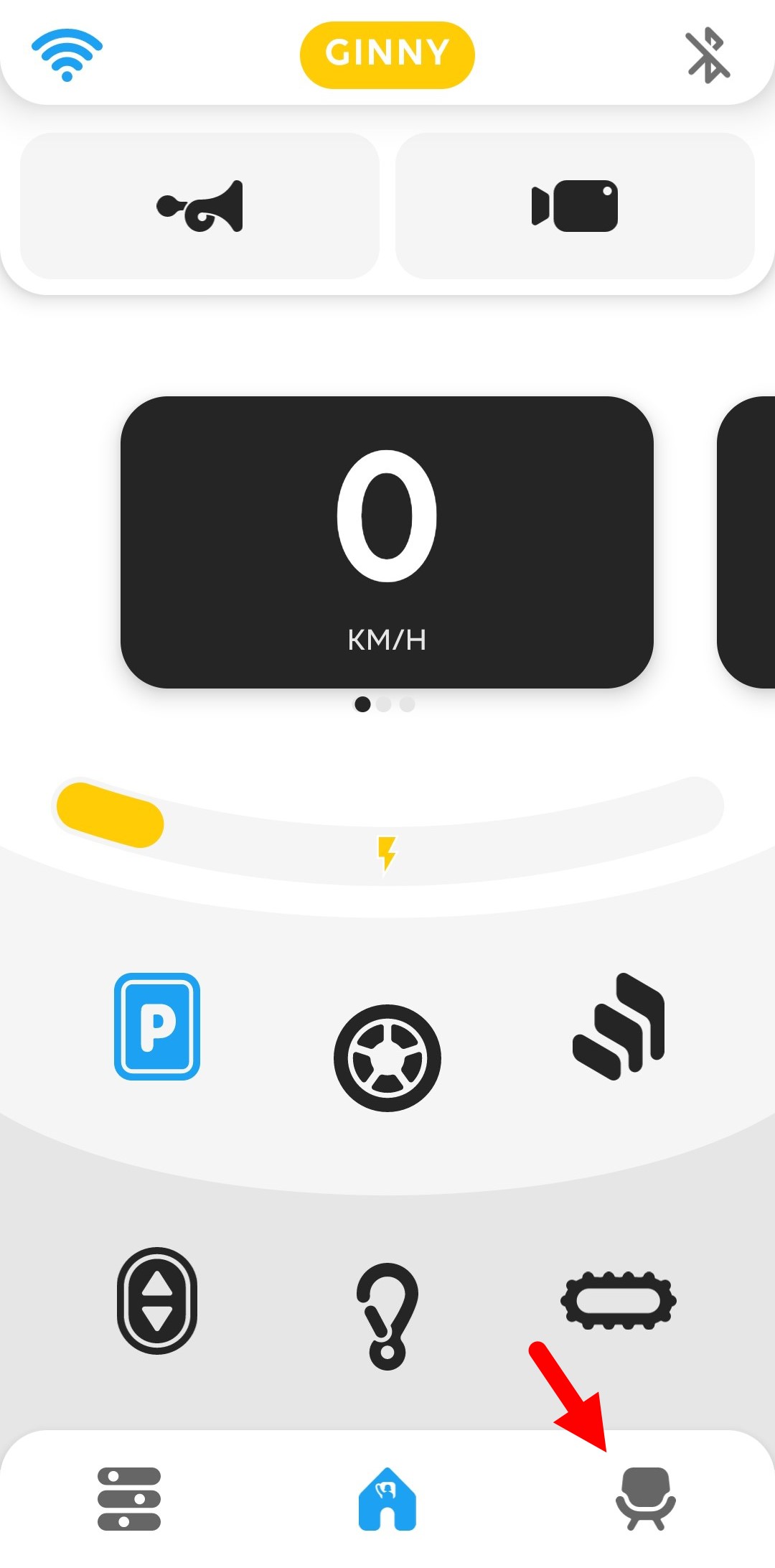
 Before you go to the Relax or Stand-up position, you must switch to park mode. Then change to seat settings in the bottom bar. |
|
Important
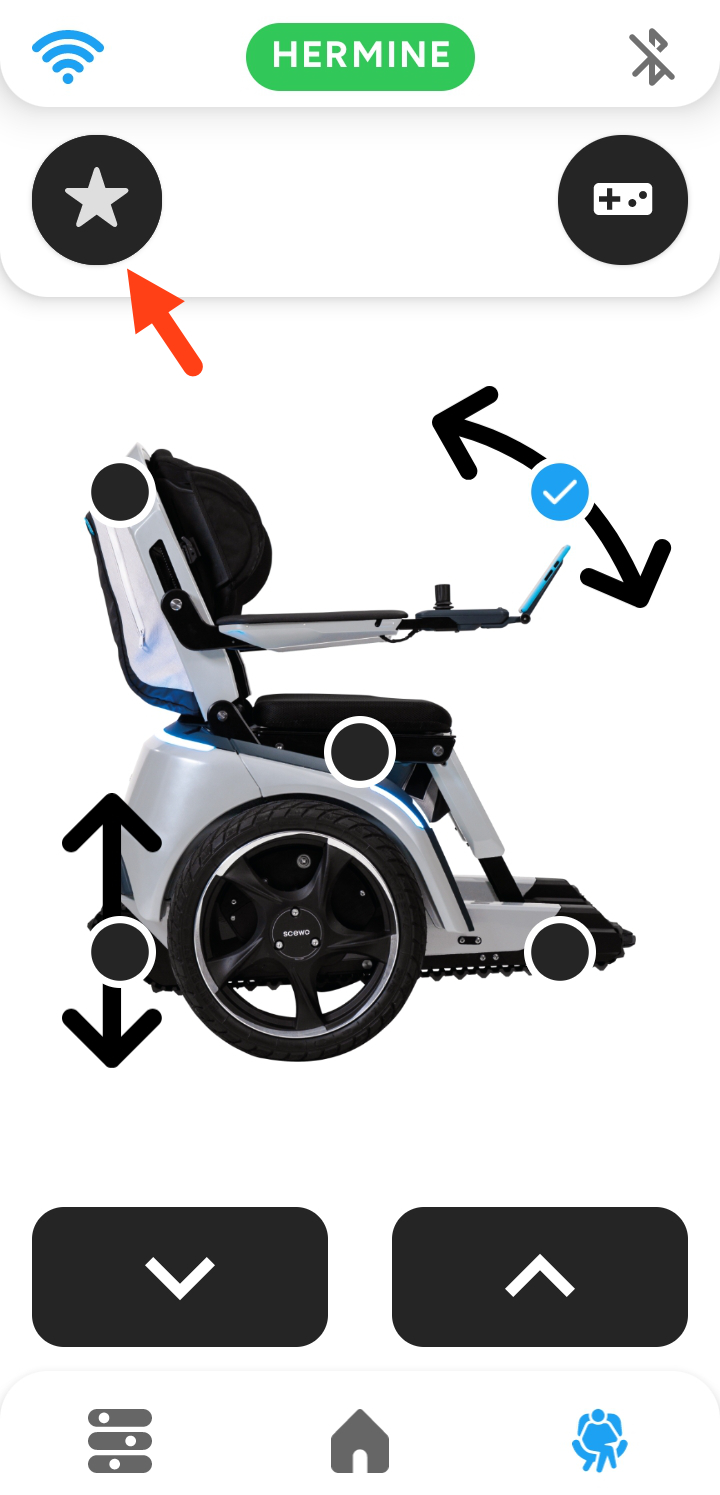
 Here you have the option to customize the various components of your BRO. To access the saved positions, you can click on the star-icon at the top left. The different sitting positions appear . |
|
Important
 | Relax position |
| |
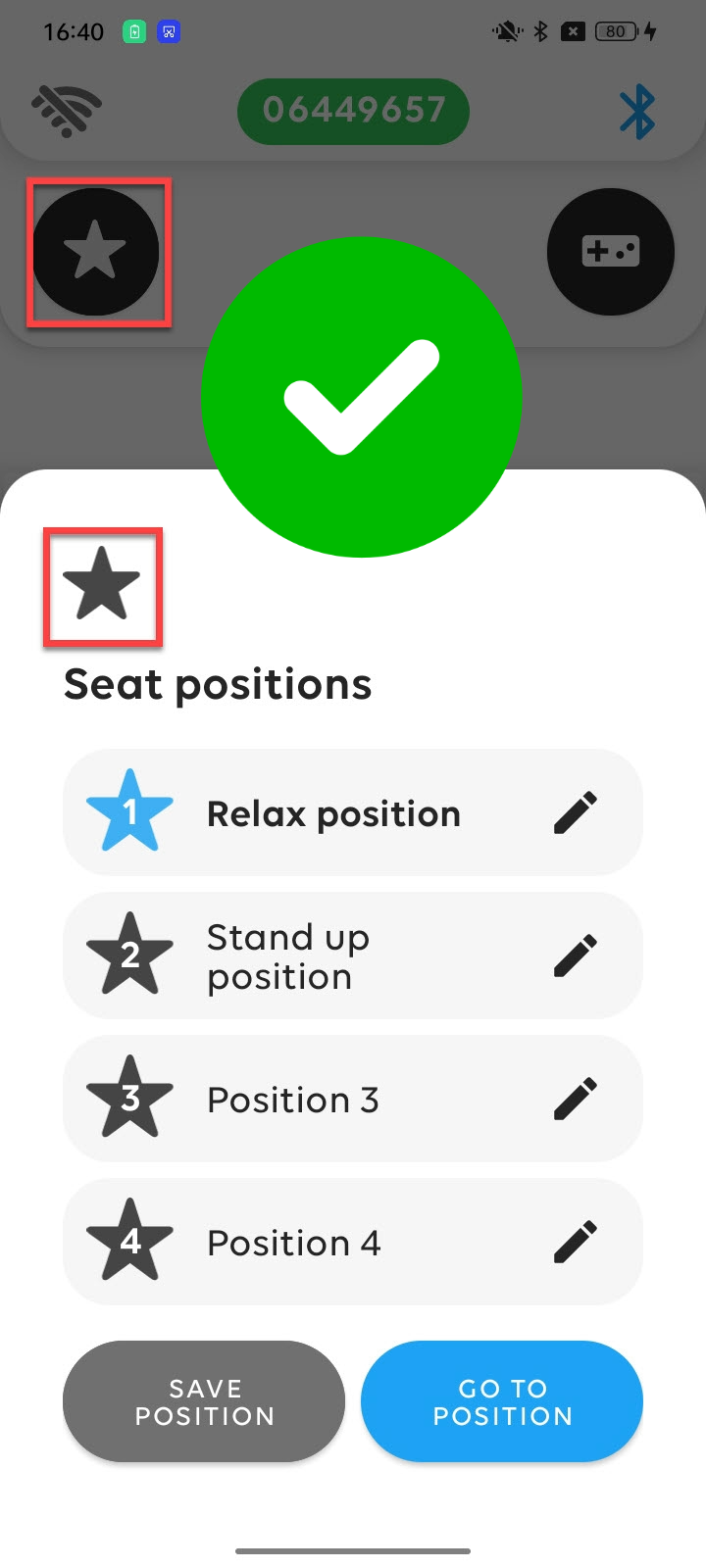
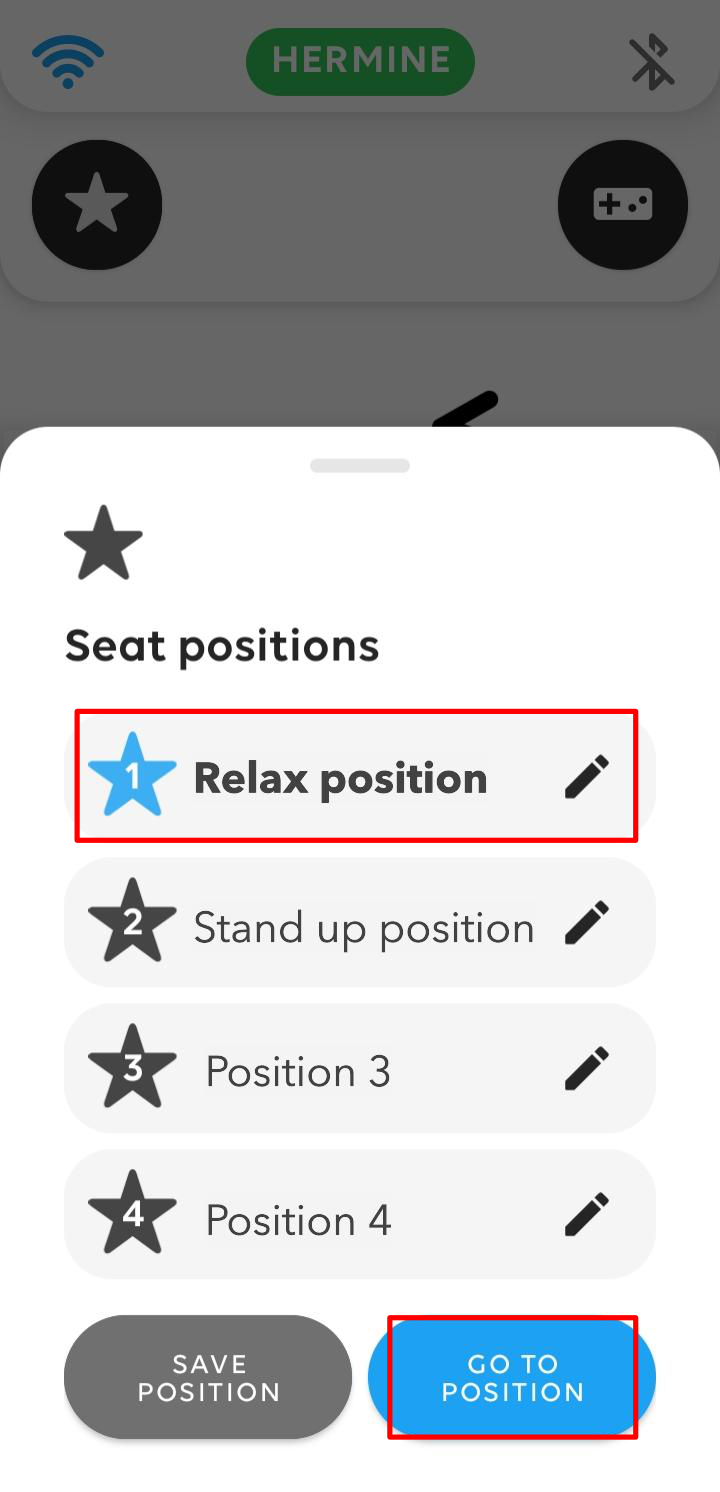
The first choice (1) is the so-called “Relax position”. To switch to the relax position, click on this selection as in the picture on the right. This then appears with a blue star. You must then hold the “Go to position”-button on the bottom right, your BRO will now switch to the Relax position. Please note that Scewo's Relax and Stand-up position are already pre-saved as default positions. However, you have the option to change them. How to adjust these positions you can find out in the section below Change and save seat angle & seat height. | |||
Important
 | Stand-up position |
| |
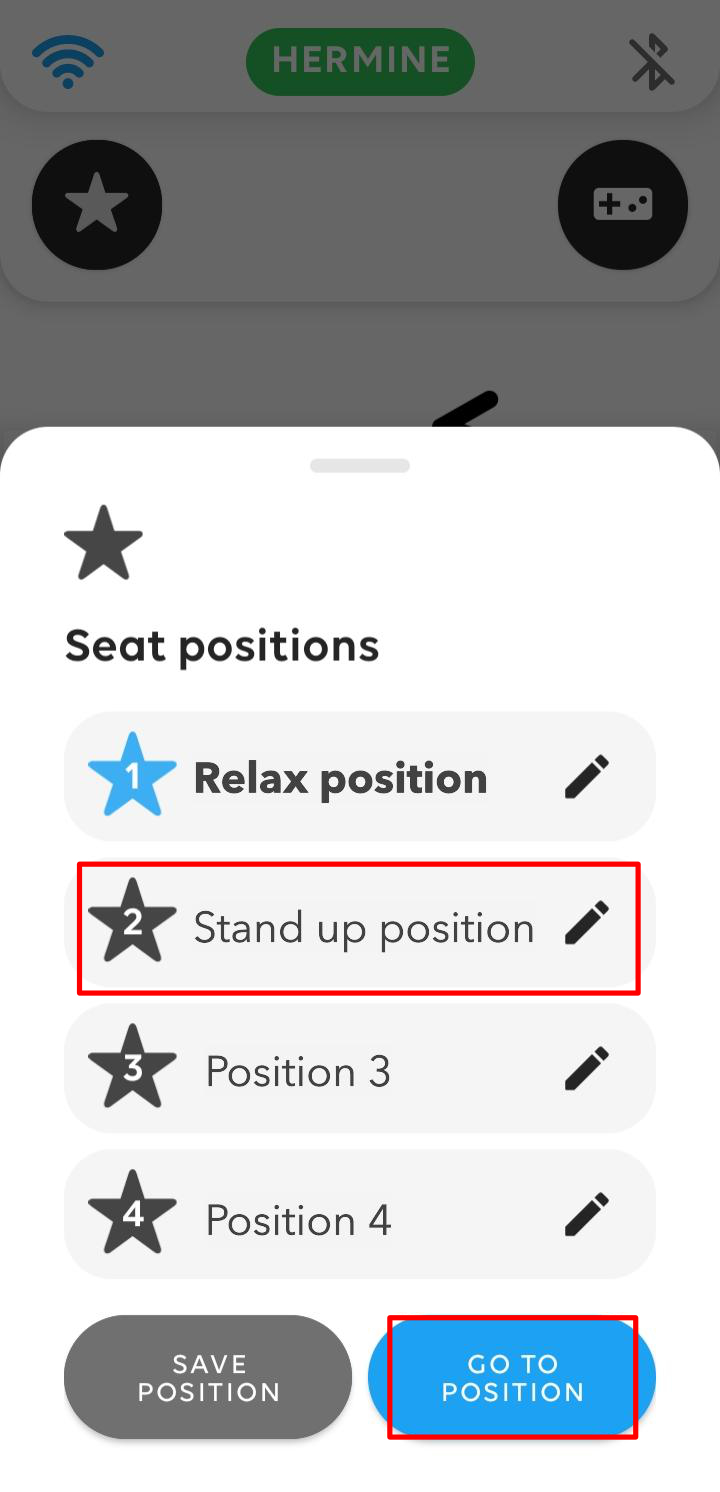
To switch to the Stand-up position, proceed in the same way as with the Relax function. Tap on the second selection (2) “Stand up position” and then press the “Go to position”-button and hold it until your BRO has completely moved into the Stand-up position. Now you can get out of your BRO much easier. | |||
Change and save seat angle & seat height
If the specified Relax and Stand-up position is not ideal for you or if you want to take up another useful position more quickly in the future, you can adjust your position to your needs by changing the seat angle and adjusting the seat height and save it. To do this, proceed as follows:
Important
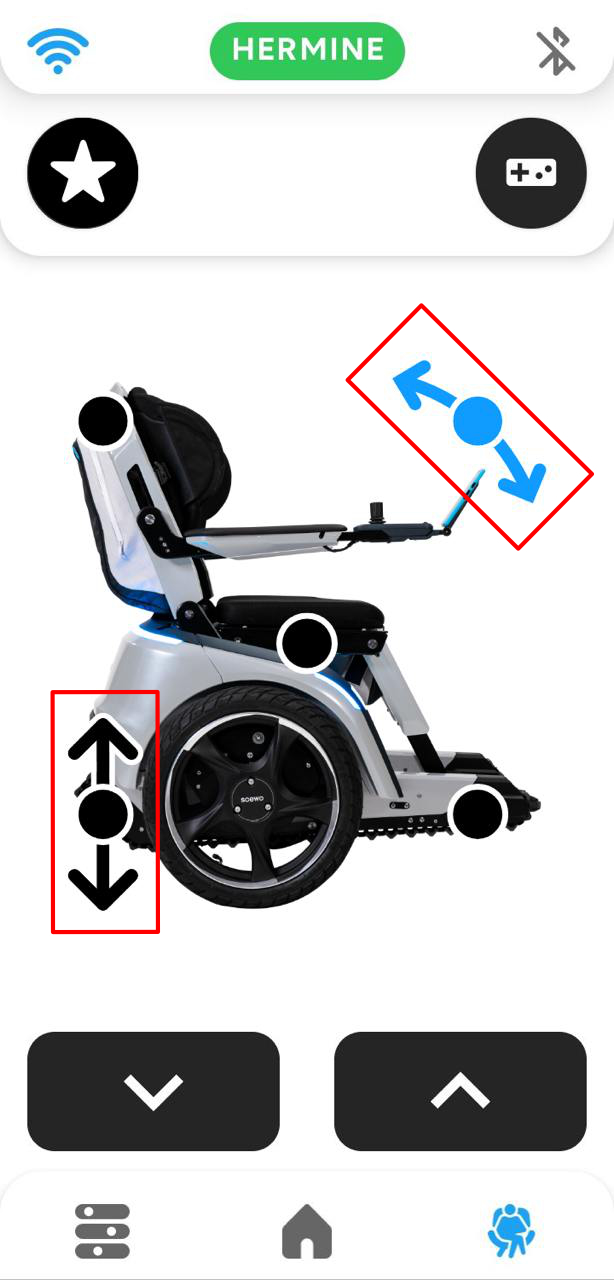
Go to park mode and then open the seat settings. Here you can adjust the three seat components. In addition, you have the option to change the seat angle and the seat height. When you tap on one of the components, it appears blue. In the picture on the right, for example, the component for the seat angle has been selected. Now you can tilt the seat more or less by using the adjustment buttons on the bottom. By selecting the seat height component (black arrow in the red box at the bottom left), you can adjust the height of the seat up or down. |
|
Important
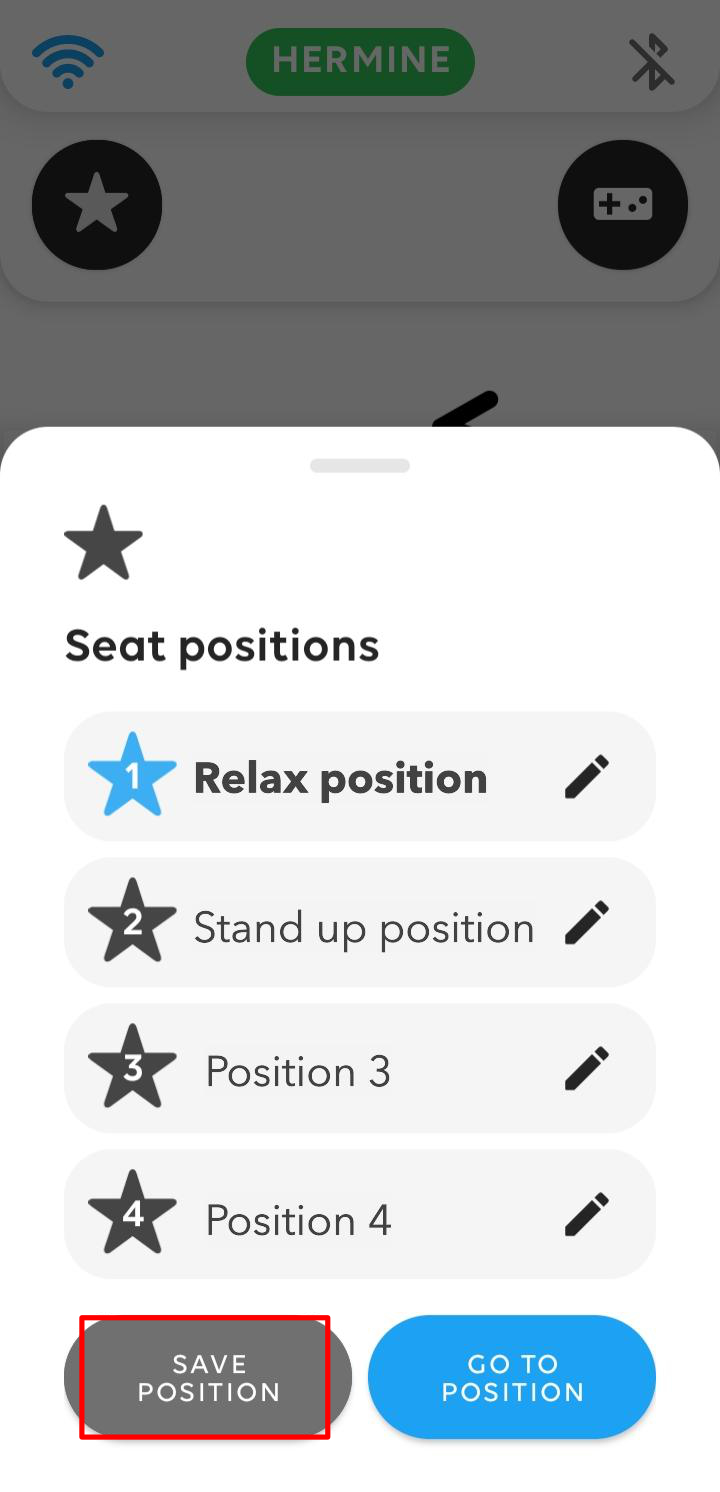
As soon as you have found a position that conforms to you, click on the star icon at the top left. You can either save the current position under one of the undefined positions (in the picture on the right, “Position 3" and “Position 4" still seem to be undefined) or overwrite the Relax or Stand-up position. Select one of these four positions and then click on “Save position” at the bottom left. Your newly saved position is now available under the position that you have selected . It is best to change the name of the newly saved position right away by clicking on the pencil on the right and entering a name of your choice. |
|
Important
The next time you want to switch to your newly saved position, simply click on the star at the top left of the seat settings and your saved position appears as a choice. |
|
Overwriting seating positions
As soon as you overwrite one of the positions predefined by Scewo (relaxation or standing-up position), only the new position will be saved under that slot. The predefined position will no longer be available. The same applies to your other saved positions: once you overwrite a position, only the newly saved one will remain under that selection, and the old position will be irreversibly lost.
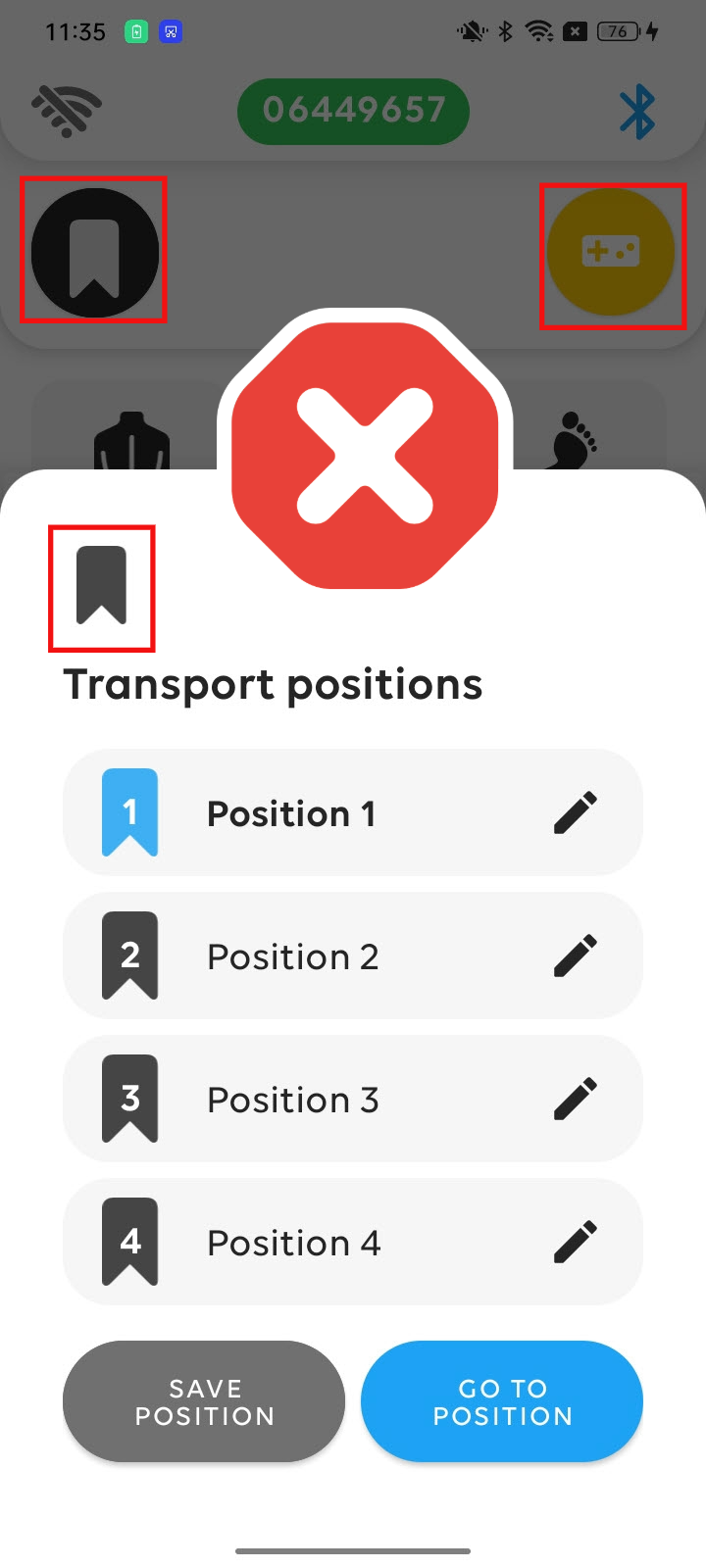
Beware of confusing these with the transport positions in remote control mode
Please note that during remote control mode (console icon in the top right corner lights up yellow), the top left button is no longer a star but a bookmark, and it represents the transport positions. These are your saved positions for transporting your BRO. They must only be used when no person is seated on BRO. |
|
|