Pairing the Xbox controller with BRO
To remotely control your BRO, you can use the provided Xbox controller. It is possible that your BRO and the controller have problems connecting. If this is the case, you can easily re-pair the Xbox controller with your BRO via the app. To do this, proceed as follows:
| Open the app and make sure that your BRO is connected to your smartphone via WiFi. The symbol on the top left of the app lights up blue. Select the settings tab and look for the remote control field under the "Control" section. Press the field and subsequently a window with the instructions will appear. Keep this window open. | 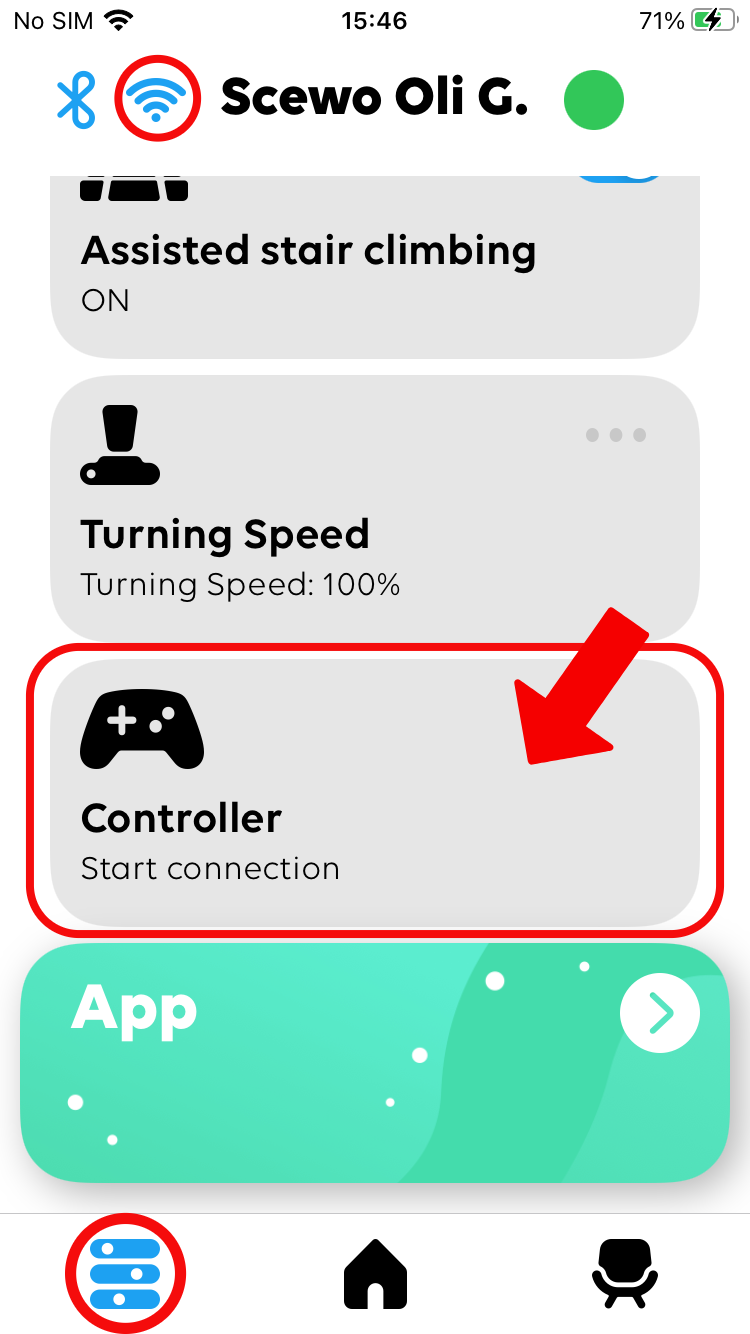 | 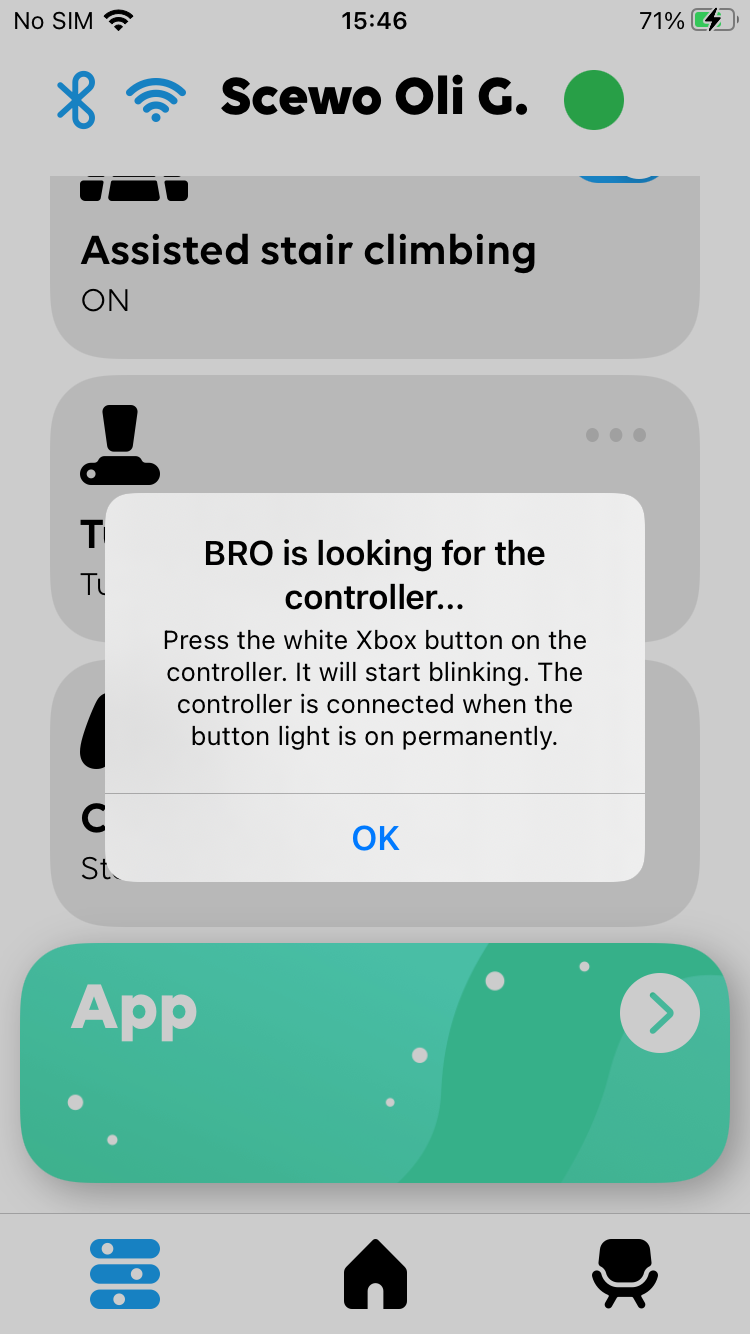 | |
| Then take the Xbox controller and turn it on by pressing the button in the middle. The button will start to glow in white. Then press the small button on the back of the Xbox controller for about 2 seconds. The white button will now flash faster than before. The controller is now ready to be paired with BRO. | 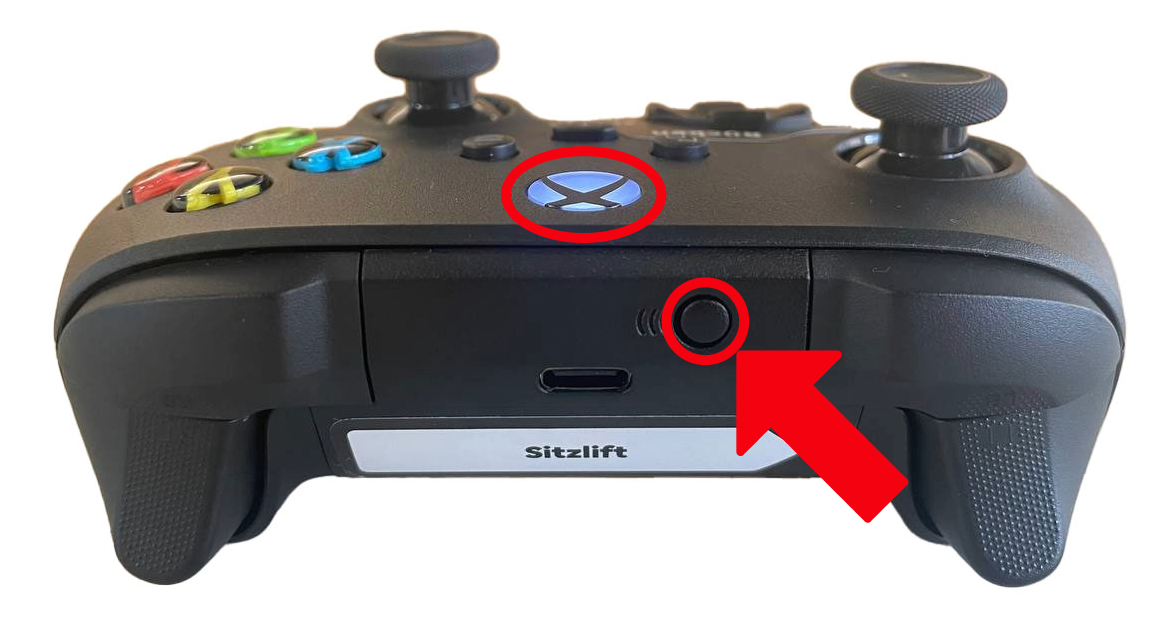 | ||
| As soon as the white flashing button on the Xbox controller lights up continuously and stops flashing, the devices have been successfully paired and you can now remotely control your BRO with the controller. You can now close the emerged window in the app. | 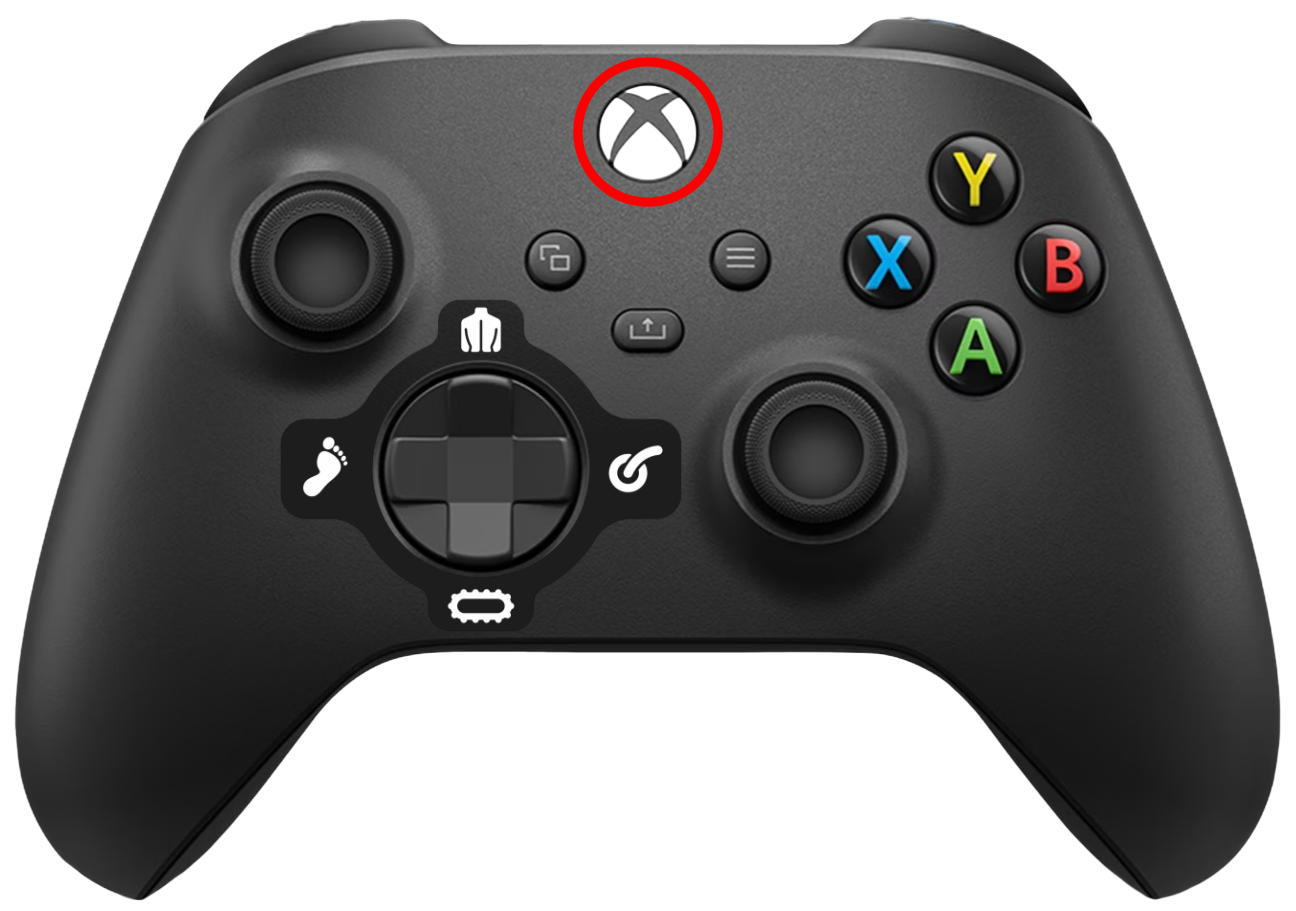 | ||


