How do I send the log data with the BRO app?
You can also send them directly to Scewo via the smartphone app (support@scewo.com) by following these simple instructions:
With iOS (Apple)
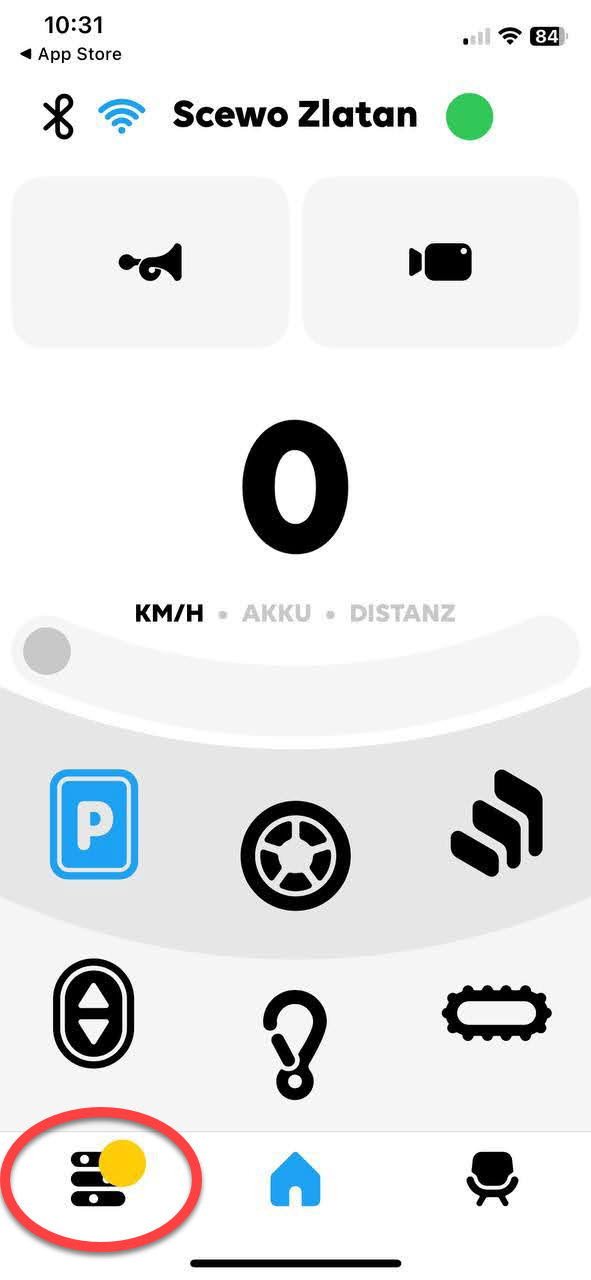
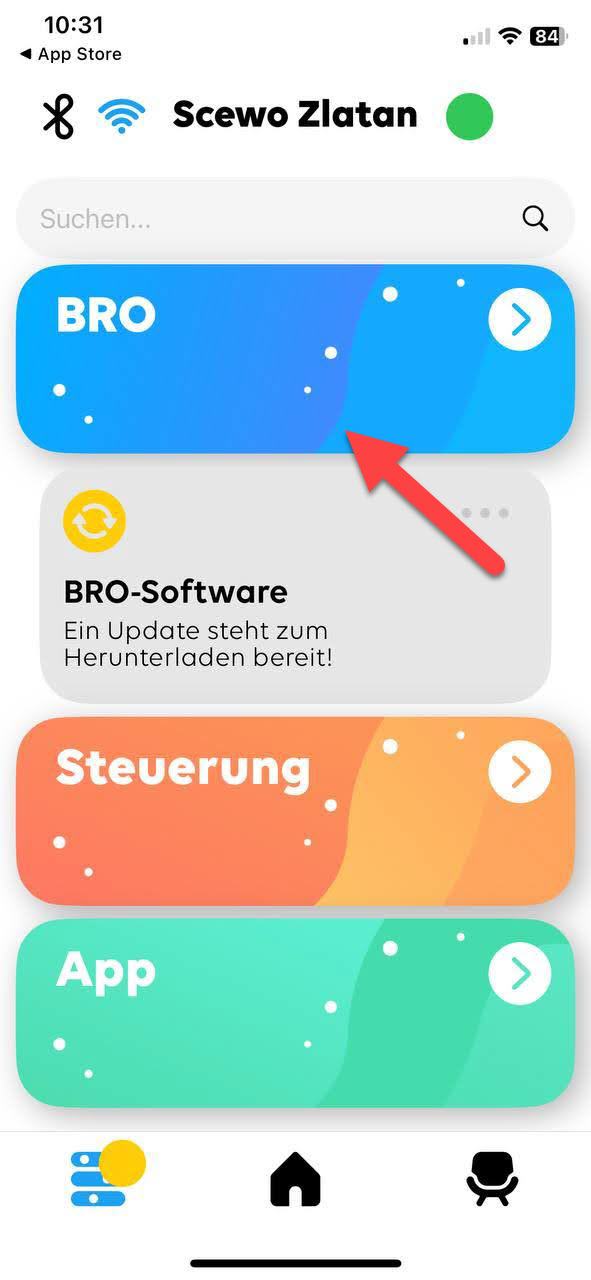
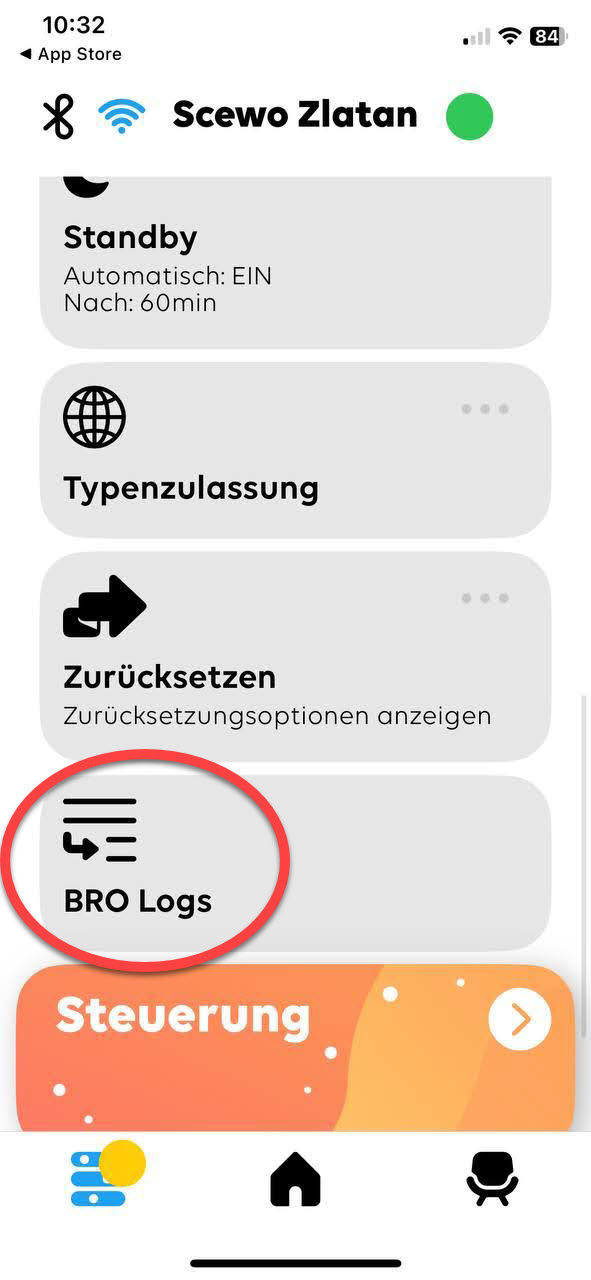
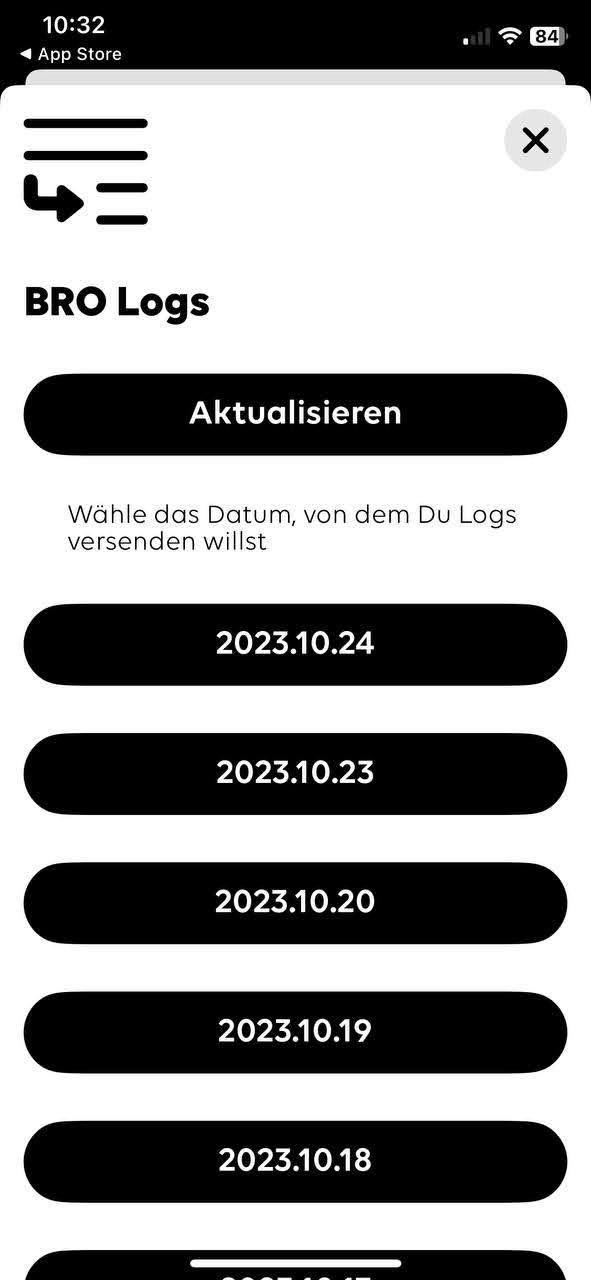
1st Connect the BRO app to your BRO 2nd Tap on the settings left down | 3rd Tap on the blue section BRO | 4th Click on BRO Logs | 5th Select the date from which you want to send log data | 6th Choose a mail provider and send it to support@scewo.com 7. If necessary, connect to a WLAN that has Internet access. |
 |  |  |  | 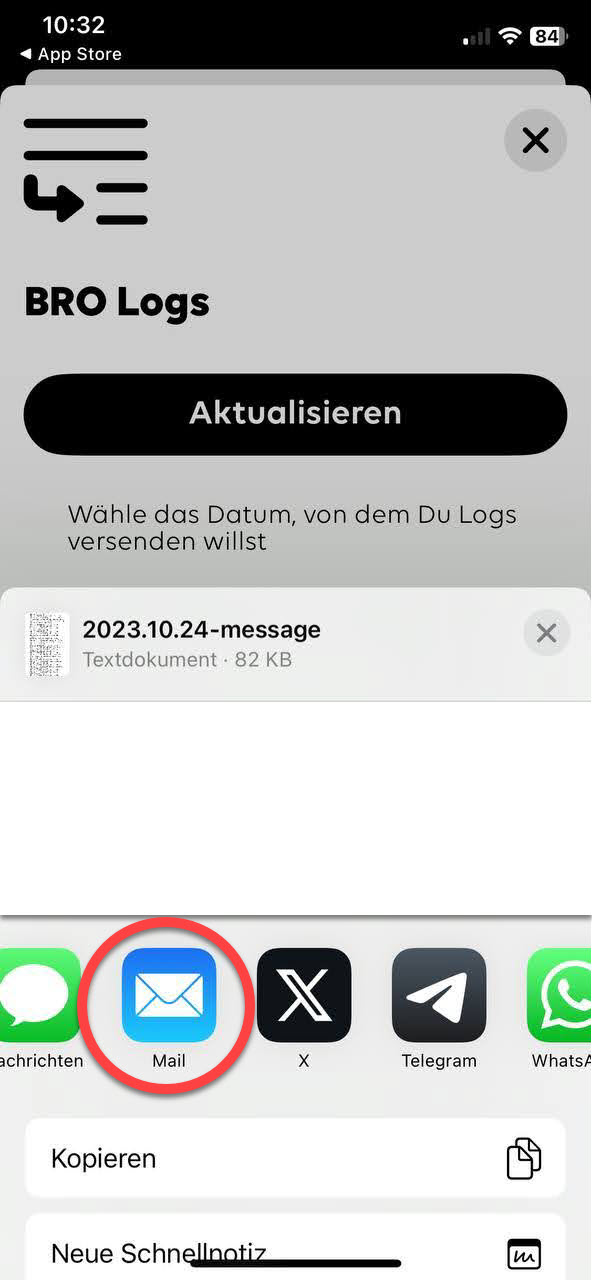 |
With Android
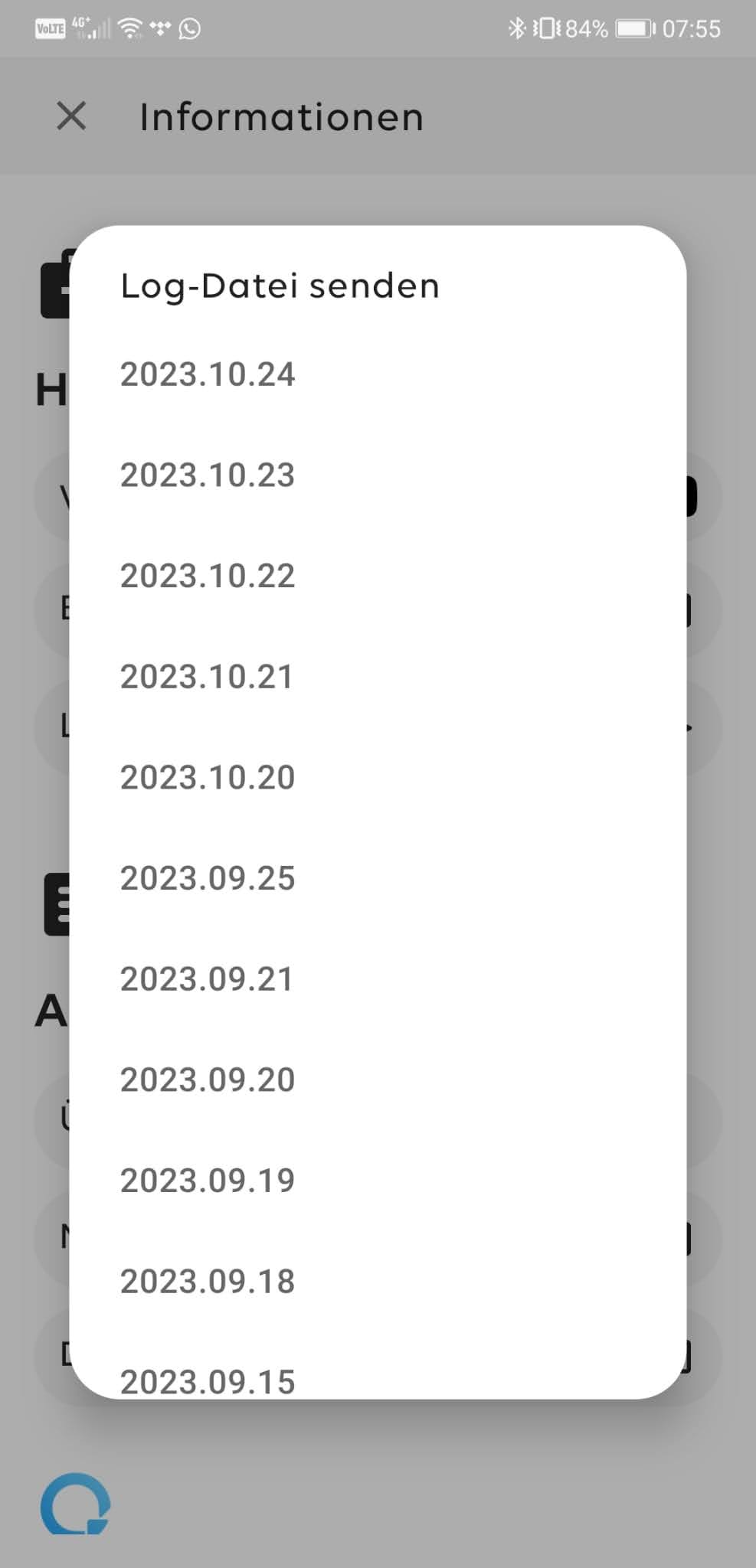
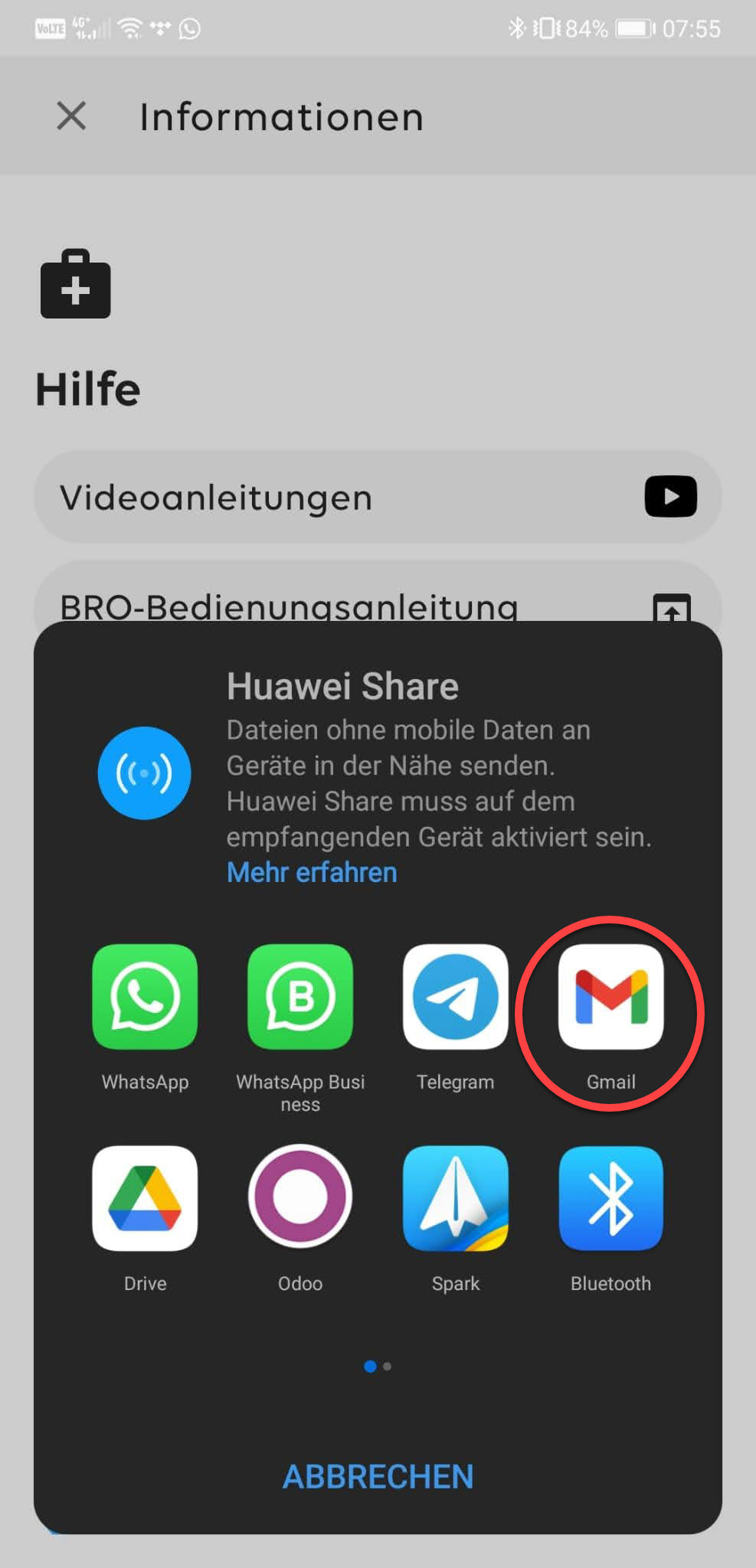
1st Connect the BRO app to your BRO 2nd Tap on the settings left down | 3rd Tap on the green section App | 4th Click on Send log file | 5th Select the date from which you want to send log data | 6th Choose a mail provider and send it to support@scewo.com 7. If necessary, connect to a WLAN that has Internet access. |
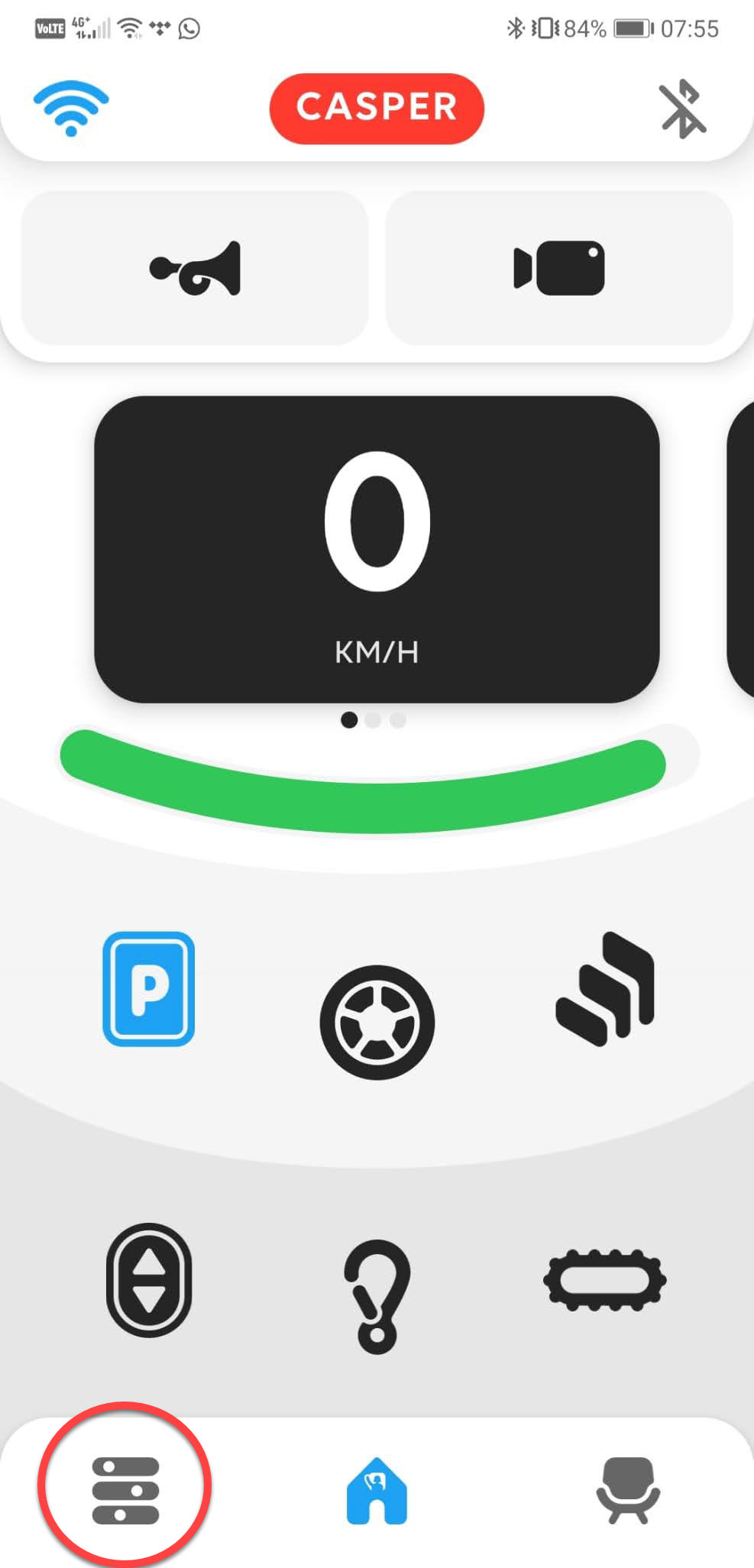 | 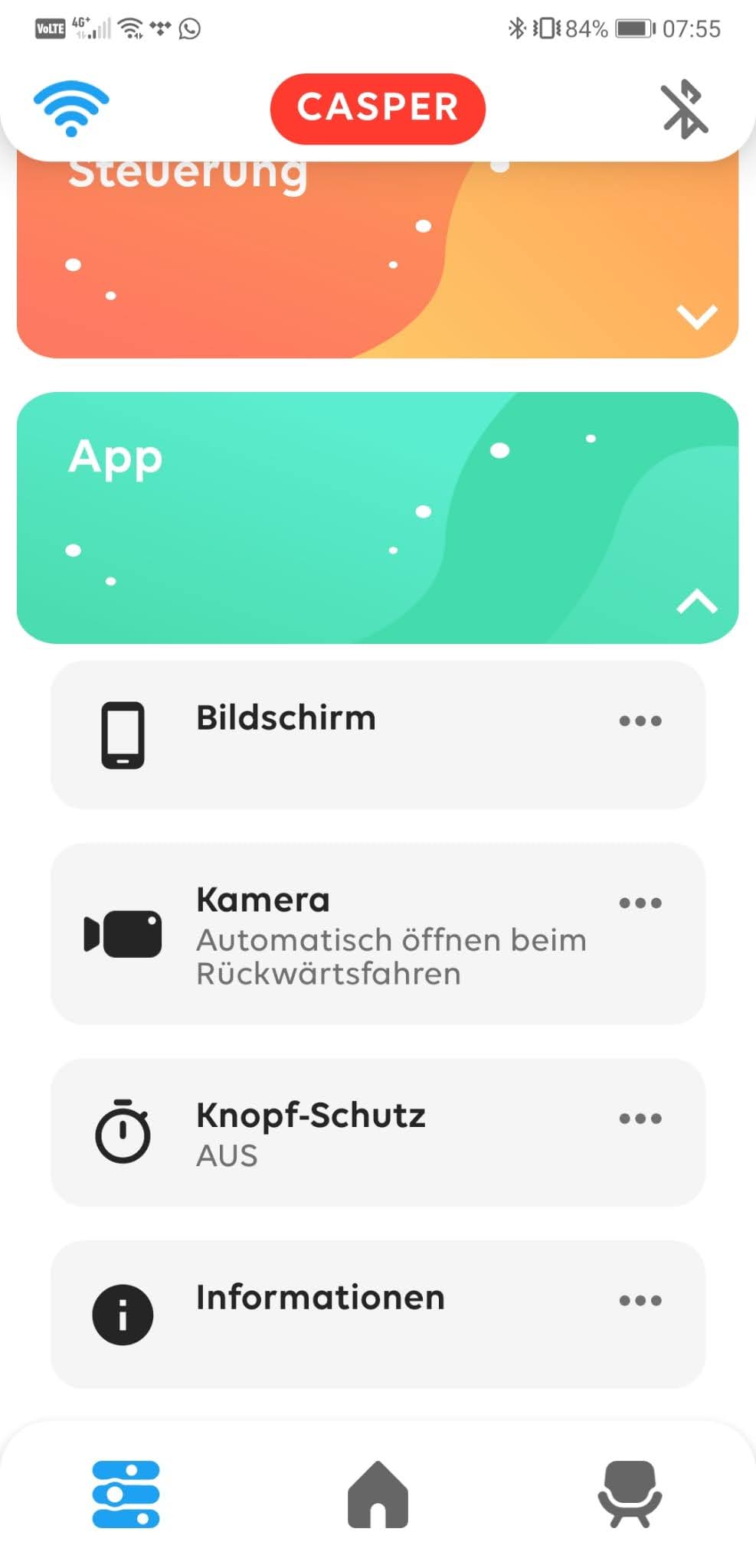 | 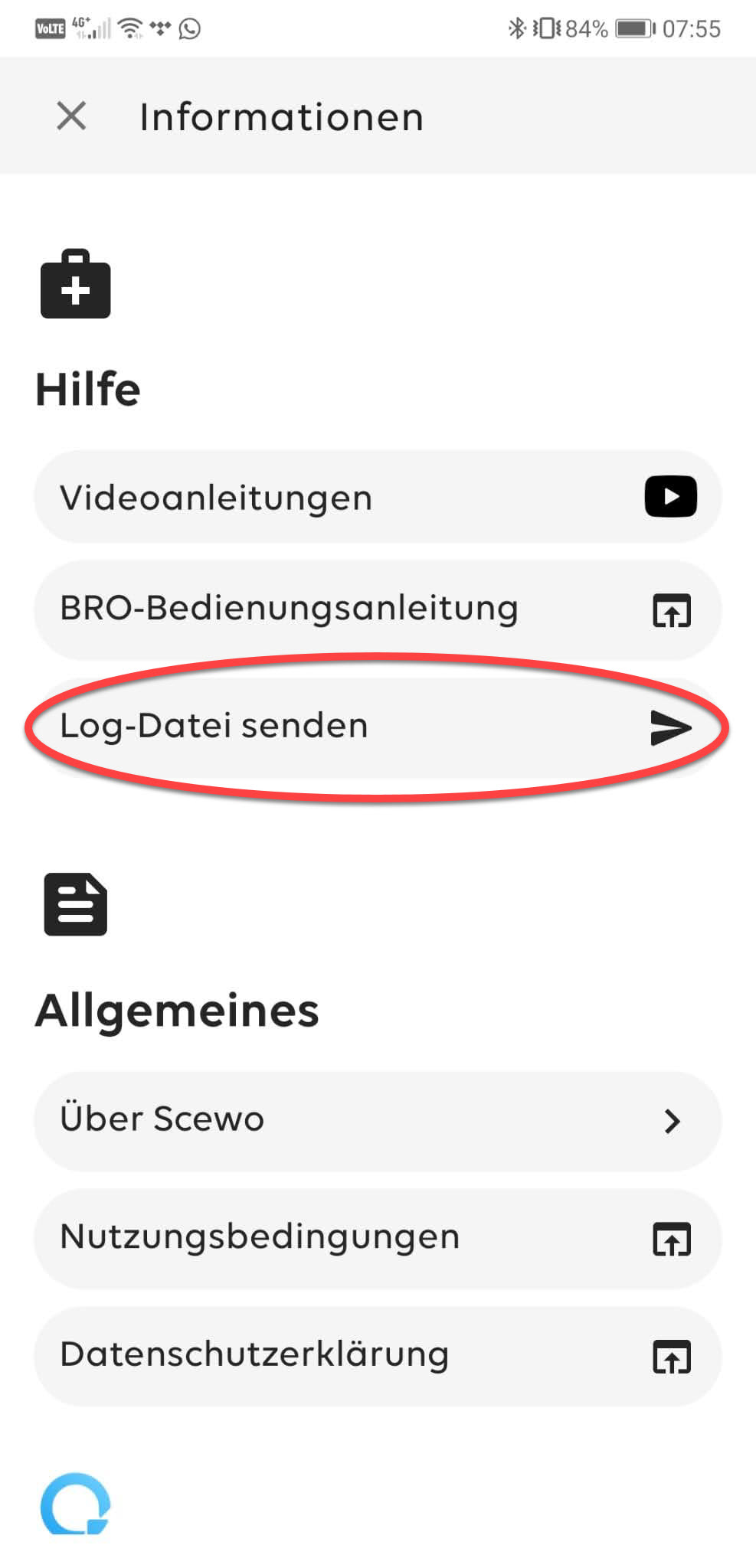 |  |  |