Head support (Add-On)
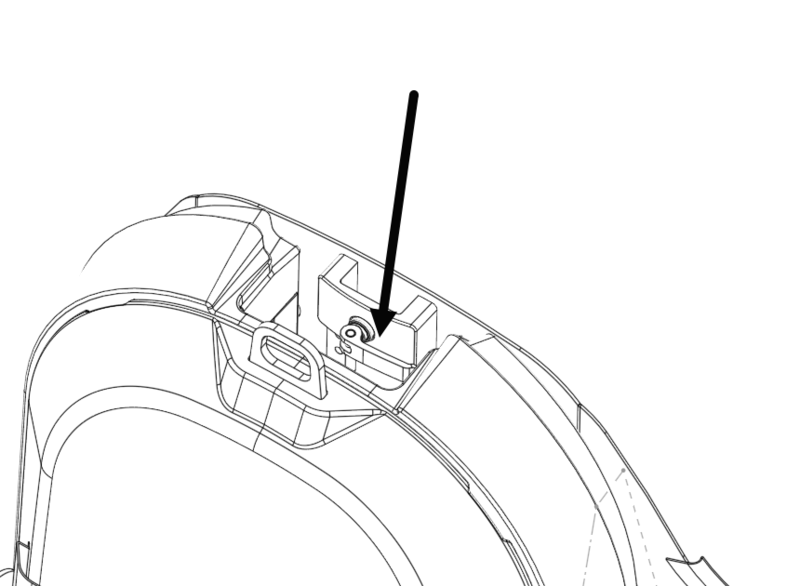
The Head support is always mounted directly on the back cushion. Thanks to the quick release system, it can be fitted, removed or adjusted in height without tools. The following third-party head support systems can be mounted using an optional adapter:
Scewo GO Snap Lock
Symmetric Design Twin HH 12 mm Square + compatible pads
Sunrise Medical Whitmyer AXYS + compatible pads
 |
Adjusting the Scewo GO Snap Lock Head support
In this chapter you will learn how to adjust the height, depth and angle of your head support to suit you. We also show you how to remove it or refit it in just a few steps.
Fitting / Removing the Head Support
The GO Snap Lock head support can be mounted directly on the back cushion with the quick release adapter.
Adjust the angle
Press the centres of the two covers of the middle section together with your thumb and index finger and hold them pressed.
Adjust the angle as desired.
Release the two covers so that the head support snap locks can engage.
Adjust the height of the pad
Use the height adjustment of the quick release adapter to roughly set the height of the head support.
Loosen the four screws of the head pad, but do not remove them completely.
Adjust the angle as desired.
When you are satisfied, tighten the screws again.
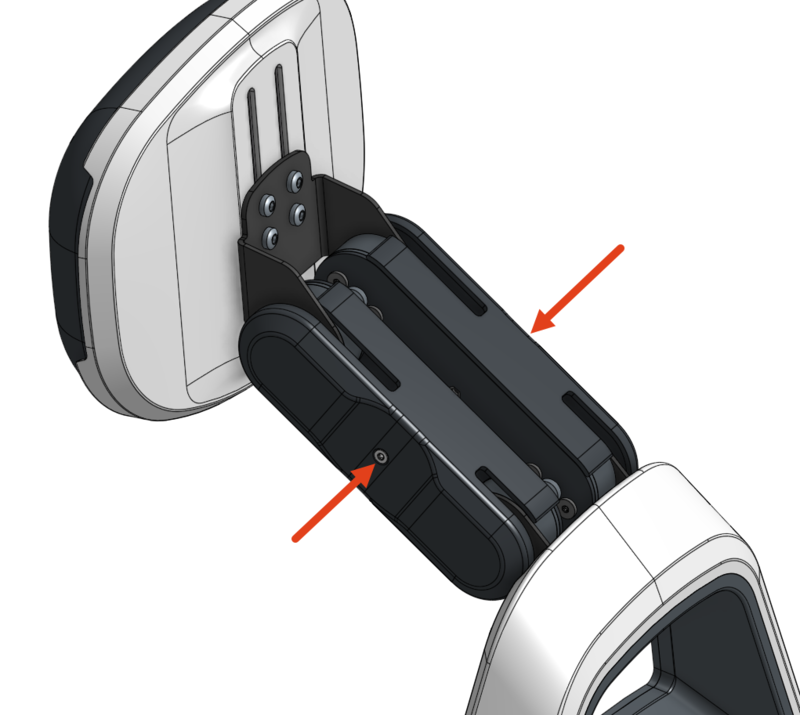 (a) Press the covers together | 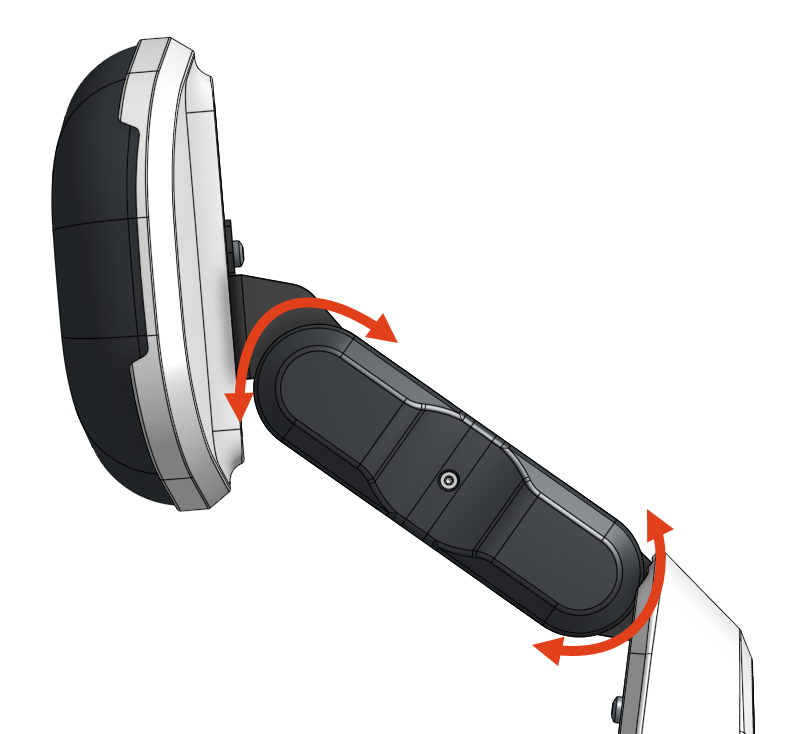 (b) Adjust the angle | 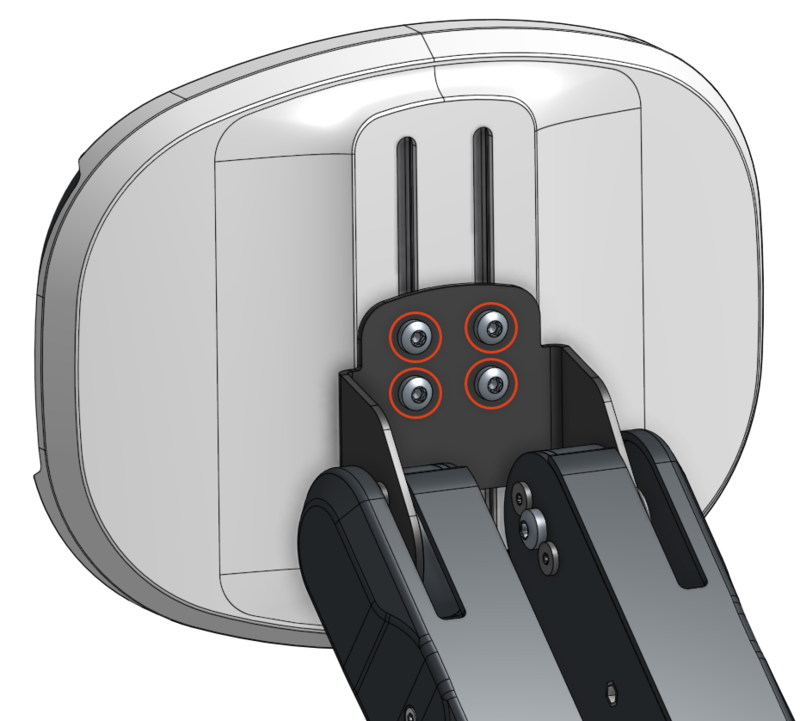 (c) Adjust the height |
Lateral Head Cushions for the Snap Lock Head support
The lateral cushions can be purchased in addition to the regular head support.
Bend the cushions inwards or outwards according to your needs.
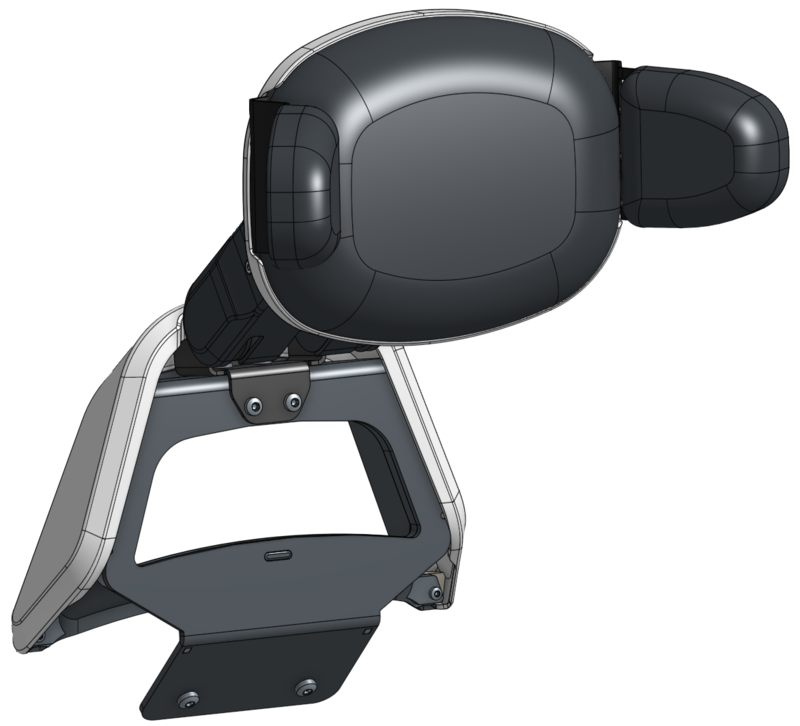 (a) Lateral head cushions | 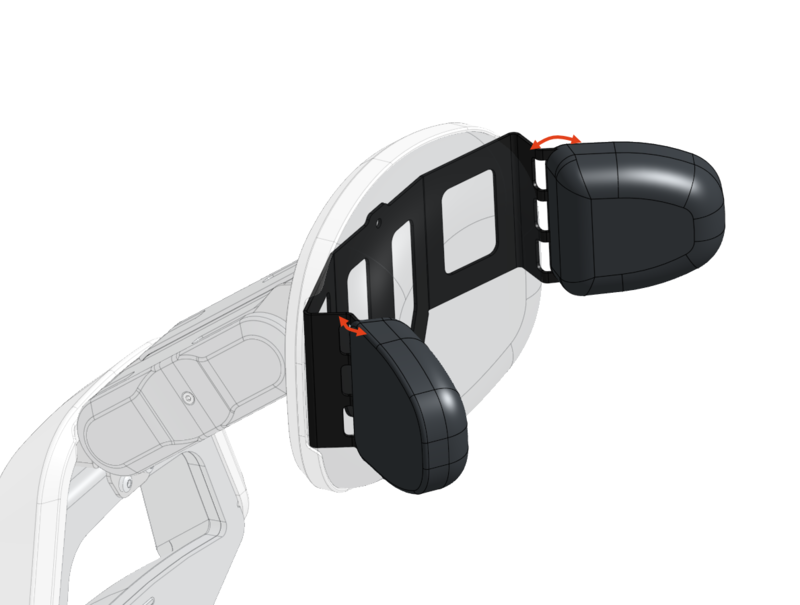 (b) Adjust the angle |