Returning a FedEx package (free of charge)
To send components and components back to Scewo, the return label included in the package can be used. The steps for booking a local pick-up yourself are described below. The entire process is free of charge.
Proceed | Figure |
|---|---|
Check whether all documents are available for return
| 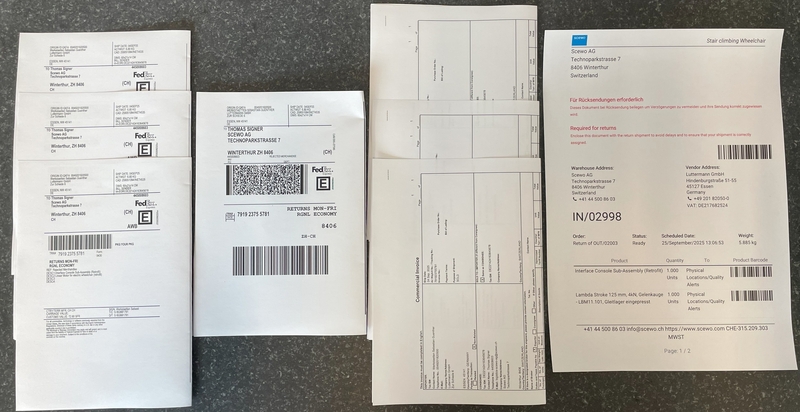 |
Sign the Pro-forma (Commercial Invoice) invoice with your signature | |
Pack the items securely in a box and close it (the box of the package you received can also be reused) | |
Glue the document bag with all the documents it contains onto the box | 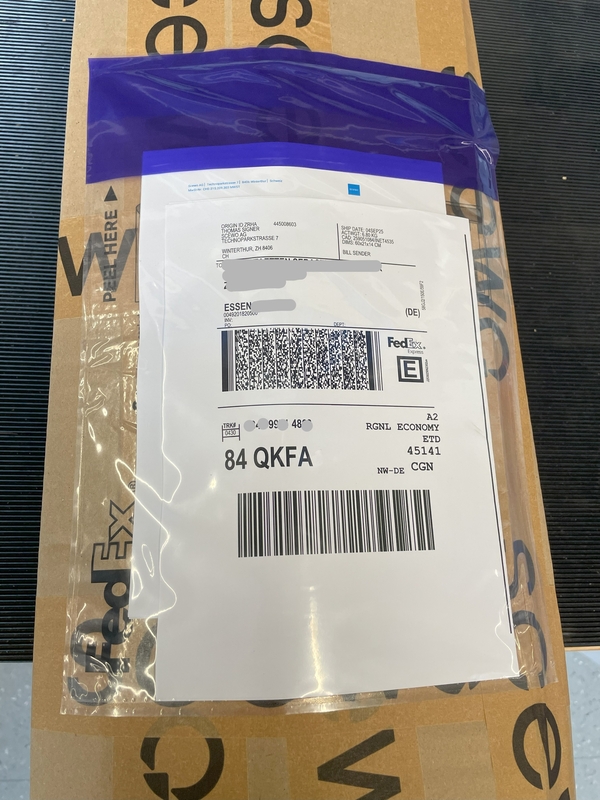 |
Go to the FedEx website and navigate to “Book & Manage a Pickup” and then “Getting Started” or directly with the link https://www.fedex.com/pudo/de-de/  | 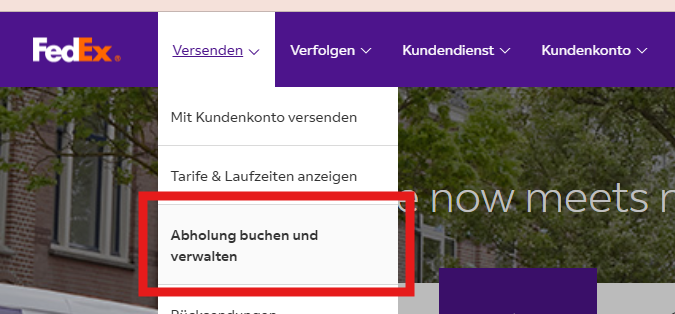 |
Enter the number on the return label Enter the sender's zip code | 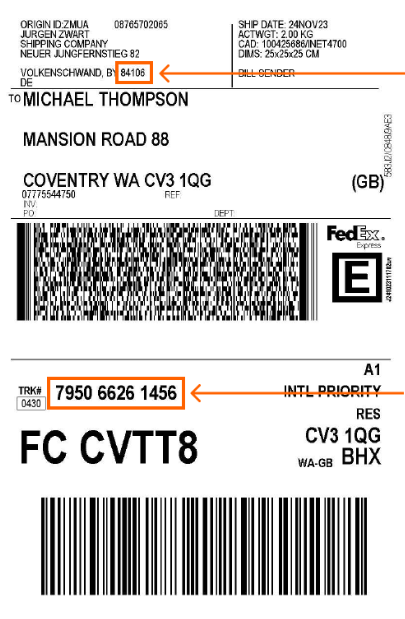 |
Select the transfer option Validate pickup Confirm the order | |
A FedEx driver will pick up the package at the desired time Give him the package and the pro forma invoice. |